eBay to Xero integration for UK sellers
Xero's bank feed shows the net deposit that reaches your account, not the sales, fees, refunds, and adjustments that made it up. SalesToAccounts turns one eBay payout into a balanced Xero result for eligible UK sellers. The live workflow handles eBay Managed Payments payouts, separates the sales, fees, refunds, and adjustments, and leaves you with a record that can be matched to the bank receipt.
Start with eBay data and exports. If your setup qualifies for direct posting, connect Xero, configure mappings and review a balanced payout before enabling journal delivery.
What the integration does
- eBay payout in, not just a bank deposit.
- Sales, fees, refunds, and adjustments kept visible.
- Balanced Xero journal ready for reconciliation.
- Scheduled posting after you switch it on.
Illustrative payout example
If one payout contains £800 of sales, £70 of fees, and £25 of refunds, the net payout is £705. SalesToAccounts keeps the components visible in Xero instead of collapsing everything into one bank line.
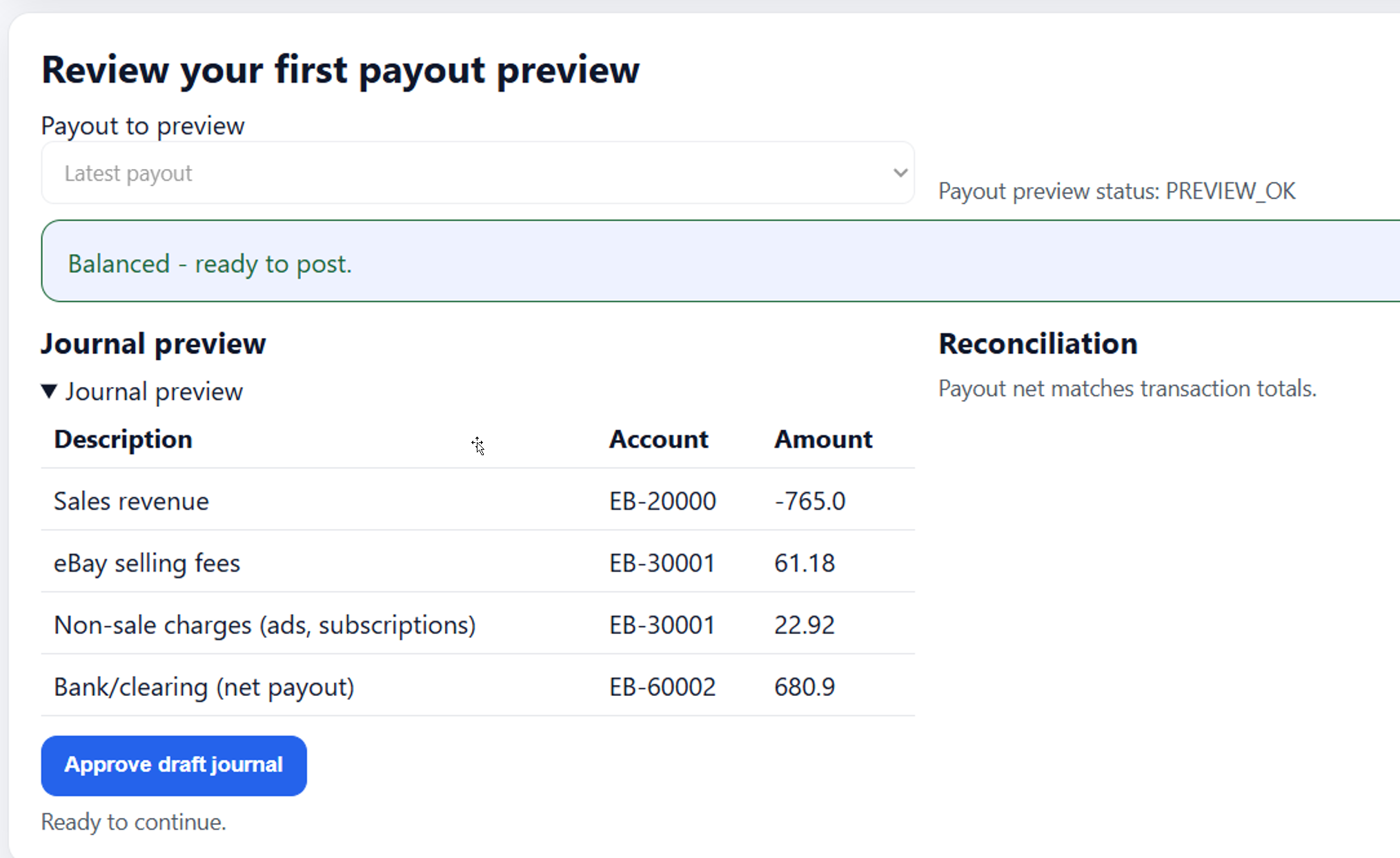


Optional Xero setup sequence
- Sign up in the app.
- Connect Xero and eBay.
- Review one real payout.
- Enable scheduled posting when you are satisfied.
Eligibility for direct Xero posting
Use one UK sole-trader business, a supported Xero organisation in GBP and non-VAT cash-basis bookkeeping. Confirm that payout-dated journals suit your business without stock or cost-of-goods accounting. Paid access, a valid mapping and preview approval are required.
Related pages
- Proof walkthrough
- How it works
- Pricing
- See reconciliation proof
- See the broader eBay accounting overview
- How to record eBay payouts in Xero
If the supported scope fits, create your account. See plans for the current commercial position.